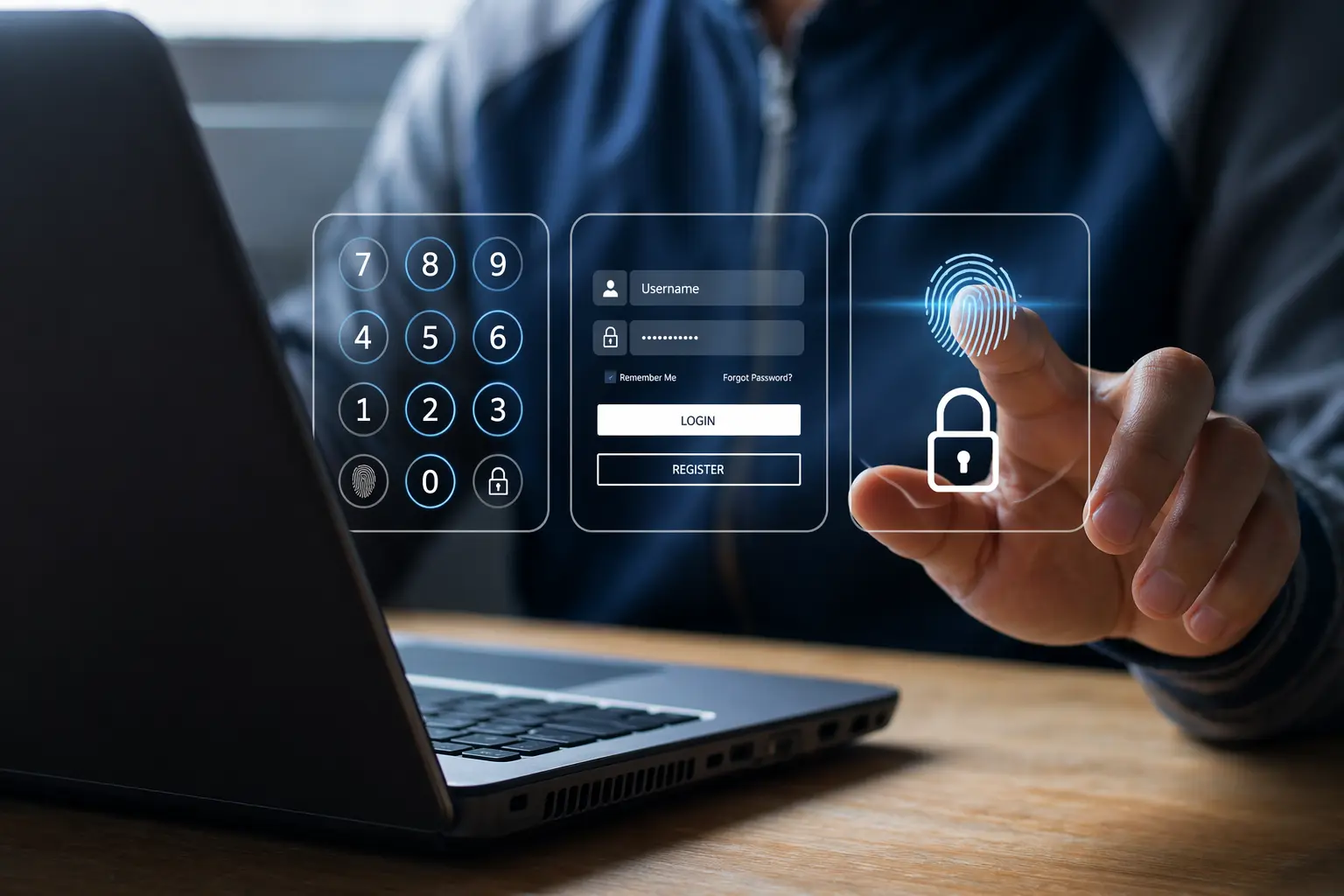

Your password was leaked two years ago. You don’t know it yet.
Somewhere in a database dump on the dark web, it’s sitting right next to your email address, waiting for someone to try it. And the only thing standing between them and your account is whether you’ve turned on one extra step.
Most people treat passwords like a lock on the front door. But what if the lock had already been copied?
That’s the uncomfortable reality of modern credential security, and it’s exactly why Multi-Factor Authentication (MFA) exists.
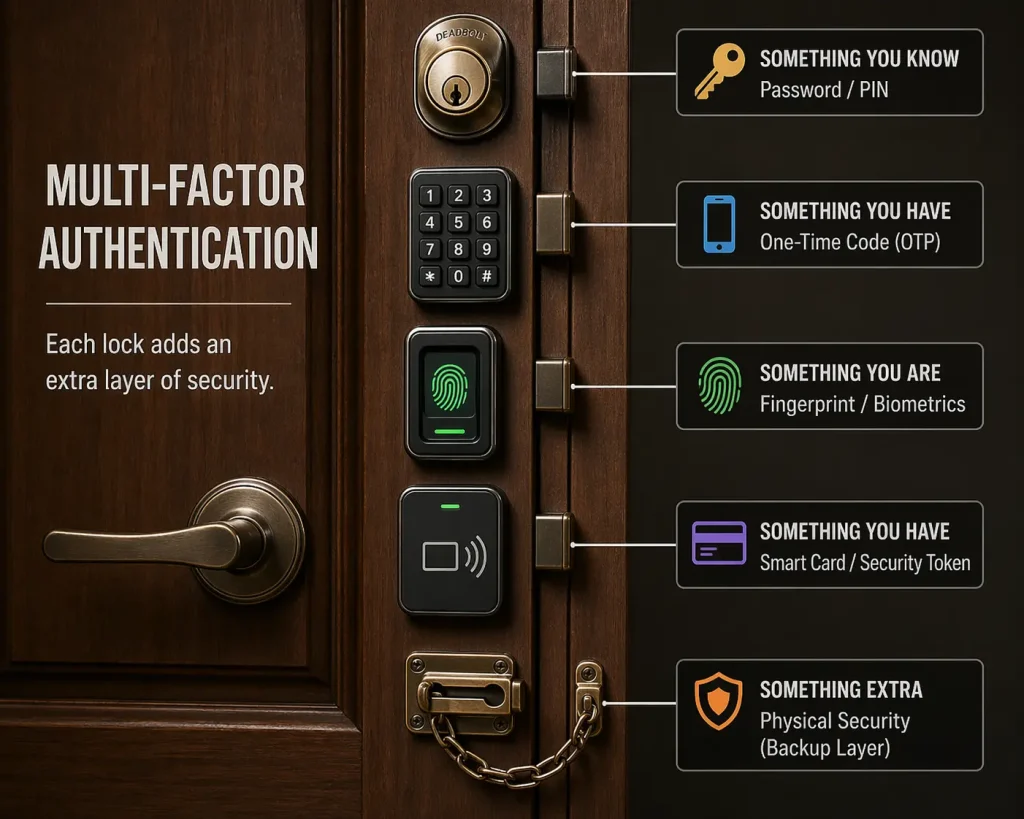
Figure 1: A door with multiple locks, each lock representing a different authentication factor.
Source: AI-Generated
What Is Multi-Factor Authentication?
Multi-Factor Authentication is a security process that requires users to verify their identity using two or more distinct factors before gaining access to a digital account or system.
Think of it like a bank vault. One key isn’t enough; you need the key, the combination, and sometimes a fingerprint. If one is stolen, the vault still holds.
By moving beyond passwords alone, MFA ensures that even if your credentials are compromised, an attacker still can’t get in without the second or third layer of proof.
99%
of automated attacks blocked by MFA (Microsoft)
300M
fraudulent sign-in attempts on Microsoft cloud, every single day
64%
of organizations have fully deployed MFA (Duo Security, 2024)
The Three Pillars of MFA
Every authentication factor falls into one of three categories and a strong MFA setup pulls from at least two of them:
Something You Know
Password, PIN, or security question
Something You Have
Phone, authenticator app, or hardware token
Something You Are
Fingerprint, face scan, or retina
The power of MFA comes from combining these categories, not stacking two of the same kind. Two passwords are not MFA. A password plus a fingerprint is.
Common MFA Methods And How Strong They Really Are
SMS-based one-time passwords (OTP) are the most common code sent to your phone.
Better than nothing, but vulnerable to SIM-swapping attacks where hackers trick your carrier into transferring your number to their device.
Authenticator apps like Google Authenticator or Microsoft Authenticator generate time-sensitive codes locally on your device. Stronger than SMS, no phone signal needed, harder to intercept.
Hardware security keys are physical devices you plug in or tap. Nearly impossible to phish remotely. The gold standard for high-security environments.
Biometrics, fingerprints, and face ID are fast, familiar, and unique to you. Increasingly, the preferred second factor is on mobile devices.
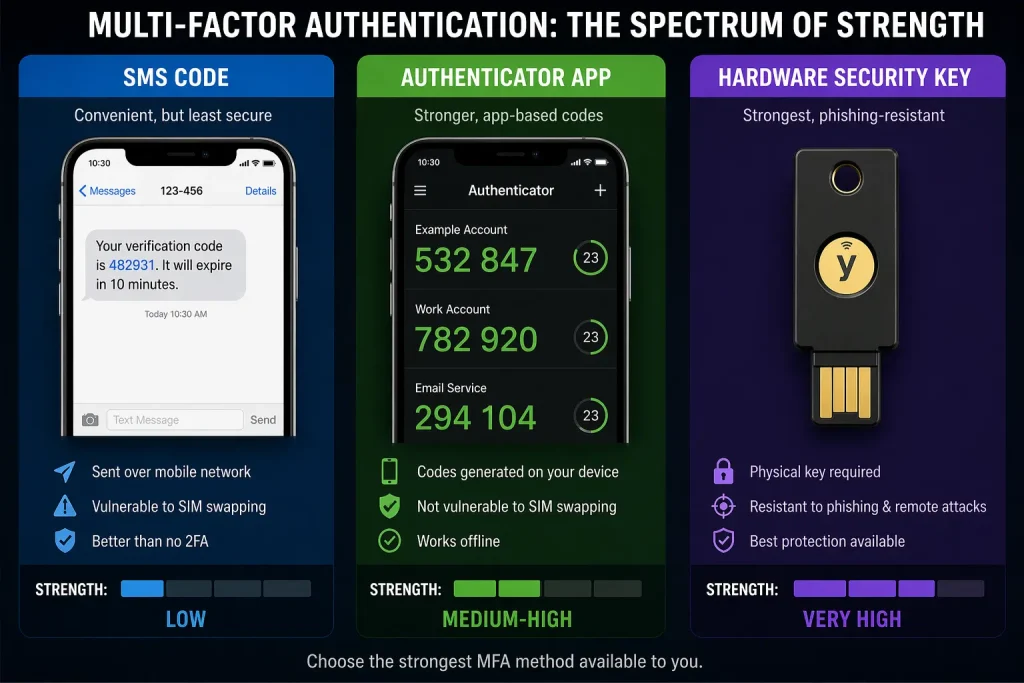
Figure 2: Side-by-side of SMS code, authenticator app, and hardware key, representing the spectrum of MFA strength.
Source: AI-Generated
“Your password doesn’t matter, but MFA does.” — Alex Weinert, Microsoft’s Group Program Manager for Identity Security
Why MFA Matters More Than You Think
Here’s what most people don’t notice: 73% of passwords are reused across work and personal accounts.
One breach at a low-security site can hand attackers the keys to your most critical accounts.
The attacker doesn’t need to hack you specifically. They just run your leaked credentials against hundreds of services and wait for a match. It’s automated, fast, and devastatingly effective.
MFA breaks that chain entirely. Even with your password in hand, an attacker hits a wall they can’t easily cross.
Insight Layer
Despite its proven impact, only 64% of organisations have fully deployed MFA, and among small businesses, that number drops below 30%.
The most common reasons? User resistance and implementation complexity. Yet the cost of not using it is exponentially higher than the friction of turning it on.
Limits of MFA: What It Can’t Always Stop
MFA is powerful, but not invincible.
Real-time phishing proxies can capture and relay your TOTP code the moment you enter it, completing the attack in seconds.
SIM-swapping can redirect your SMS codes to an attacker’s phone.
The point isn’t that MFA is perfect. The point is that it makes attacks dramatically harder, slower, and more expensive and that alone stops most attackers cold.
For those who need the strongest protection, FIDO2-based passwordless authentication, hardware keys combined with biometrics, represents the next frontier, eliminating passwords from the equation entirely.
Key Takeaways
- MFA requires two or more verification factors, not just a password, before granting access.
- It blocks 99.9% of automated attacks, even when passwords are already compromised.
- The three factor types are: something you know, something you have, and something you are.
- Authenticator apps and hardware keys are stronger than SMS, which is better than nothing.
- MFA isn’t foolproof, but it raises the cost of an attack high enough to deter most threats.
- CISA, Microsoft, and Google all rank MFA as one of the highest-impact security measures available.
Closing Thought
We’ve built a world that runs on passwords, but passwords were never designed to carry this much weight.
They get stolen, reused, guessed, and leaked.
Multi-Factor Authentication doesn’t fix the password problem. It just makes the password matter a lot less.
And in security, making something matter less to an attacker is one of the most powerful moves you can make.
The real question isn’t whether MFA is worth the extra second it takes.
It’s what’s the cost of the accounts you haven’t protected yet?
